
0
Best Laptop Under ₹30,000 in India (2026): SSD, Full HD Display & Long Battery Life
Buying a laptop on a budget no longer means compromising on performance. Today, many of the best laptops under ₹30,000 come with fast SSD storage, Full HD displays, long-lasting battery life, and reliable Intel or AMD processors. Whether you’re a student attending online classes, a professional working from home, or someone who needs a laptop for everyday tasks, there are plenty of excellent options in this price range.
Modern budget laptops are capable of handling web browsing, Microsoft Office, video conferencing, streaming, light photo editing, coding for beginners, and even basic multitasking. Thanks to SSD storage, these laptops boot quickly, launch applications faster, and offer a smoother overall experience than older HDD-based models.
In this guide, we’ve carefully researched and selected the top 10 laptops under ₹30,000 in India based on performance, display quality, battery backup, build quality, customer reviews, brand reliability, and overall value for money. By the end of this article, you’ll be able to choose the perfect laptop for your needs and budget.
Quick Comparison Table: Best Laptops Under ₹30,000
| Laptop | Processor | RAM | Storage | Display | Battery Life | Best For |
|---|---|---|---|---|---|---|
| Lenovo IdeaPad Slim 3 | Intel Core i3-N305 | 8GB | 512GB SSD | 15.6″ FHD | Up to 10 Hours | Students & Office Work |
| ASUS Vivobook Go 15 | AMD Ryzen 3 7320U | 8GB | 512GB SSD | 15.6″ FHD | Up to 8 Hours | Everyday Use |
| Acer Aspire Lite | AMD Ryzen 3 5300U | 8GB | 512GB SSD | 15.6″ FHD | Up to 9 Hours | Multitasking |
| HP 15s | Intel Celeron N305 | 8GB | 512GB SSD | 15.6″ HD/FHD | Up to 8 Hours | Students |
| Dell Inspiron 3520 | Intel Pentium Gold | 8GB | 256GB SSD | 15.6″ HD | Up to 7 Hours | Office Work |
| Lenovo V15 | AMD Athlon Silver | 8GB | 256GB SSD | 15.6″ FHD | Up to 7 Hours | Daily Tasks |
| ASUS E410 | Intel Celeron | 8GB | 256GB SSD | 14″ HD | Up to 12 Hours | Travel |
| Acer One 14 | Intel Core i3 | 8GB | 512GB SSD | 14″ FHD | Up to 8 Hours | Students |
| HP Chromebook 14 | Intel Celeron | 8GB | eMMC | 14″ HD | Up to 11 Hours | Online Classes |
| Avita Essential | Intel Celeron | 8GB | 256GB SSD | 14″ FHD | Up to 8 Hours | Budget Users |
Note: Laptop prices may vary during online sales and promotional offers. Always check the latest price before purchasing.
Top 10 Best Laptops Under ₹30,000
1. Lenovo IdeaPad Slim 3
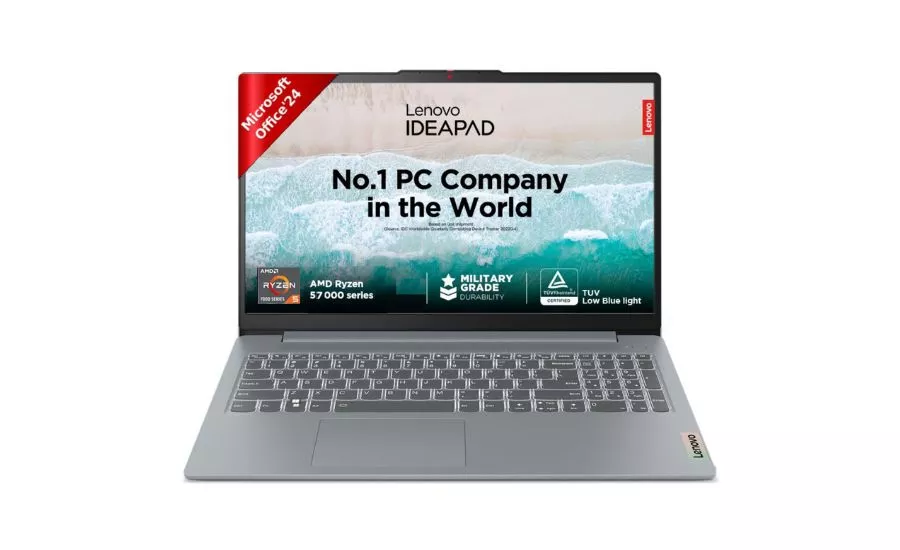
The Lenovo IdeaPad Slim 3 is one of the best value-for-money laptops in this price segment. It offers a sleek design, fast SSD storage, a bright Full HD display, and dependable performance for students, professionals, and home users.
Key Specifications
- Processor: Intel Core i3-N305
- RAM: 8GB DDR5
- Storage: 512GB SSD
- Display: 15.6-inch Full HD Anti-Glare
- Operating System: Windows 11 Home
- Battery Backup: Up to 10 Hours
- Weight: Approx. 1.6 kg
Pros
- Fast boot time with SSD
- Crisp Full HD display
- Good battery backup
- Lightweight and portable
- Comfortable keyboard
Cons
- Not suitable for heavy gaming
- RAM upgrade options may vary by model
Best For
- Students
- Office work
- Online classes
- Web browsing
- Everyday productivity
Why We Recommend It
If you’re looking for the best laptop under ₹30,000 with SSD and Full HD display, the Lenovo IdeaPad Slim 3 delivers an excellent balance of speed, display quality, and battery life.
2. ASUS Vivobook Go 15
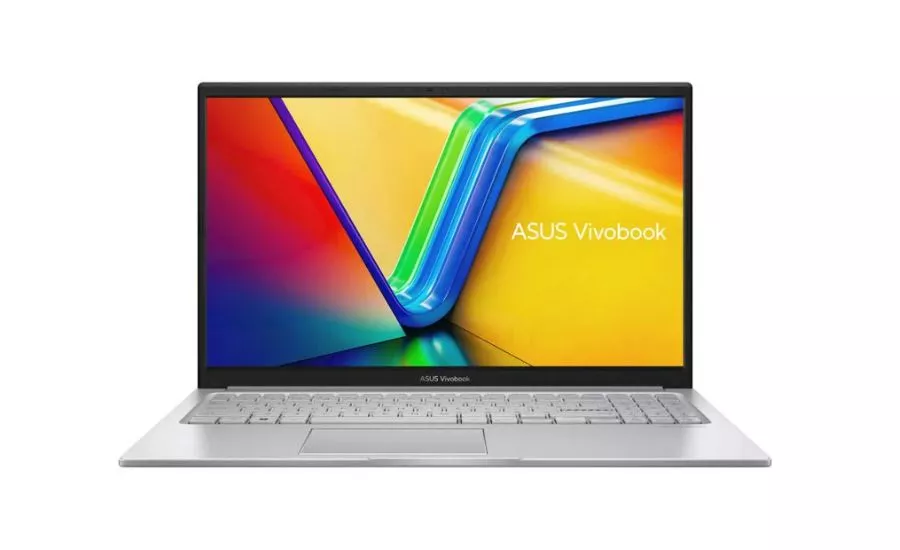
The ASUS Vivobook Go 15 stands out with its stylish design and AMD Ryzen processor, making it a great option for users who need smooth multitasking and dependable everyday performance.
Key Specifications
- Processor: AMD Ryzen 3 7320U
- RAM: 8GB LPDDR5
- Storage: 512GB SSD
- Display: 15.6-inch Full HD
- Operating System: Windows 11 Home
- Battery Backup: Up to 8 Hours
- Weight: Approx. 1.63 kg
Pros
- Powerful Ryzen processor
- Full HD display
- Fast SSD storage
- Premium design
- Quiet cooling system
Cons
- RAM is not user-upgradable on some variants
- Average speakers
Best For
- Students
- Professionals
- Work from home
- Everyday multitasking
Why We Recommend It
The ASUS Vivobook Go 15 is an ideal choice for users seeking reliable performance, quick startup speeds, and a modern design within a budget.
3. Acer Aspire Lite
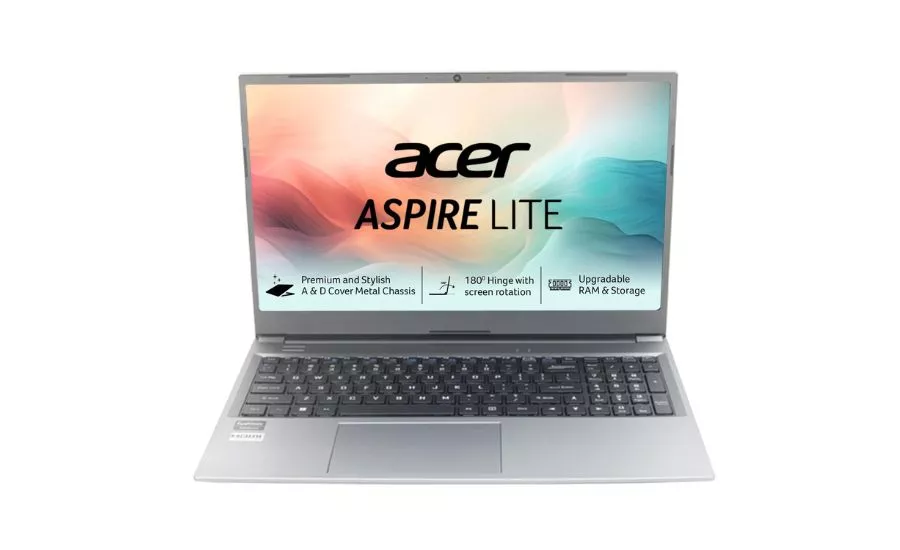
The Acer Aspire Lite combines solid performance with an elegant design, making it one of the most popular laptops in the budget category. Its Ryzen processor and SSD storage provide a responsive experience for daily computing tasks.
Key Specifications
- Processor: AMD Ryzen 3 5300U
- RAM: 8GB DDR4
- Storage: 512GB SSD
- Display: 15.6-inch Full HD IPS
- Operating System: Windows 11 Home
- Battery Backup: Up to 9 Hours
- Weight: Approx. 1.59 kg
Pros
- Excellent performance for the price
- IPS Full HD display
- Smooth multitasking
- Lightweight build
- Upgradeable storage on selected models
Cons
- Battery life could be better under heavy workloads
- No backlit keyboard on some variants
Best For
- Students
- Office users
- Beginners in coding
- Content consumption
- Everyday multitasking
Why We Recommend It
The Acer Aspire Lite offers an impressive combination of performance, display quality, and affordability. If you want a laptop for study, office work, web browsing, and entertainment, it’s one of the strongest contenders in the under-₹30,000 category.
4. HP 15s
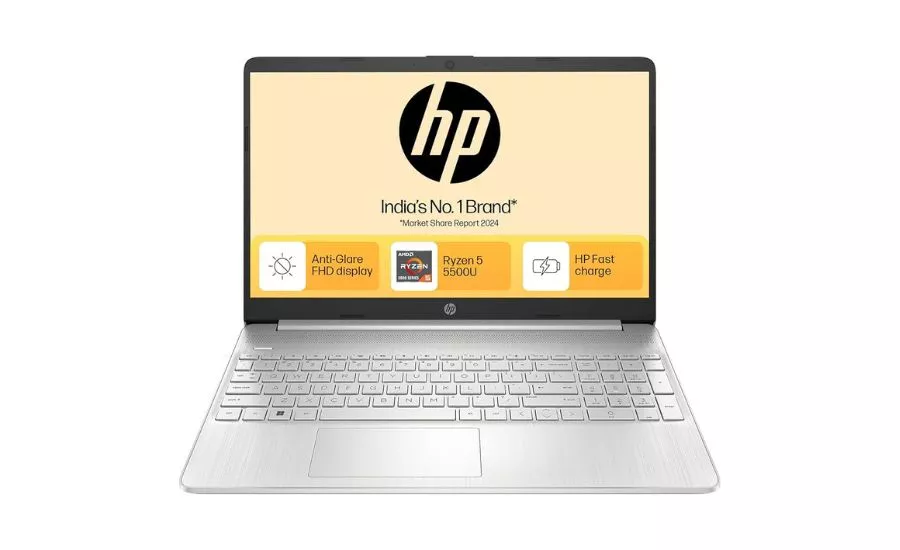
The HP 15s is a popular choice among students and office users who want a reliable Windows laptop from a trusted brand. It offers solid everyday performance, a comfortable keyboard, and good after-sales support across India.
Key Specifications
- Processor: Intel Celeron N-Series / AMD Athlon (varies by model)
- RAM: 8GB
- Storage: 256GB/512GB SSD
- Display: 15.6-inch HD or Full HD
- Operating System: Windows 11 Home
- Battery Life: Up to 8 Hours
Pros
- Trusted HP build quality
- Fast SSD storage
- Comfortable full-size keyboard
- Lightweight design
- Good service network
Cons
- Entry-level processor
- Not suitable for gaming or heavy video editing
Best For
- Students
- Microsoft Office
- Online classes
- Work from home
- Daily browsing
Why Buy?
If you need a dependable laptop for studying, presentations, video calls, and office work, the HP 15s is one of the safest choices under ₹30,000 during discounts.
5. Lenovo V15
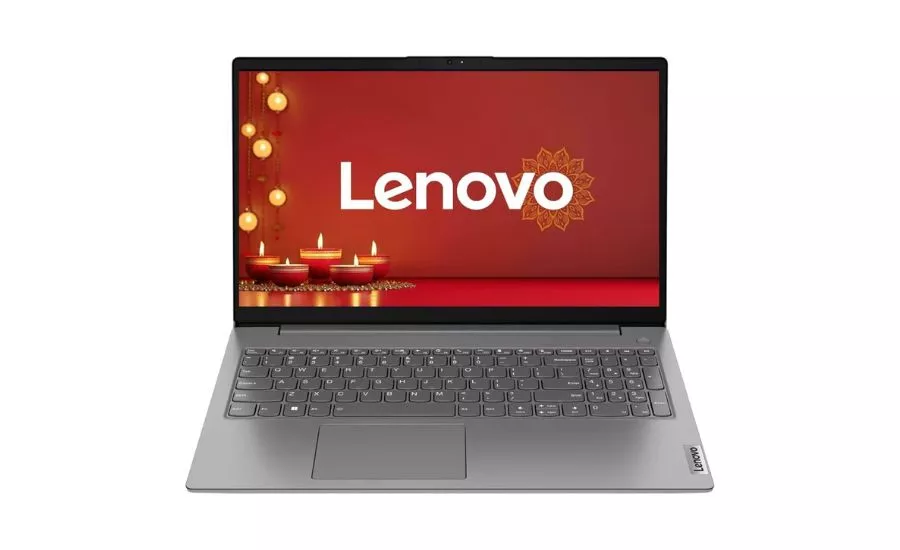
The Lenovo V15 is designed for productivity. It provides a durable build, responsive SSD storage, and smooth multitasking for everyday business and educational tasks.
Key Specifications
- Processor: AMD Ryzen 3 5300U (selected variants)
- RAM: 8GB DDR4
- Storage: 512GB SSD
- Display: 15.6-inch Full HD Anti-Glare
- Battery Life: Up to 8 Hours
Pros
- Powerful Ryzen processor
- Full HD anti-glare display
- Fast SSD performance
- Upgrade-friendly design
Cons
- Average speakers
- Basic webcam
Best For
- Office professionals
- Students
- Coding beginners
- Online meetings
Why Buy?
The Ryzen processor delivers noticeably better multitasking performance than most Celeron-based laptops in the same price segment, making it an excellent value-for-money option.
6. Acer Aspire 3
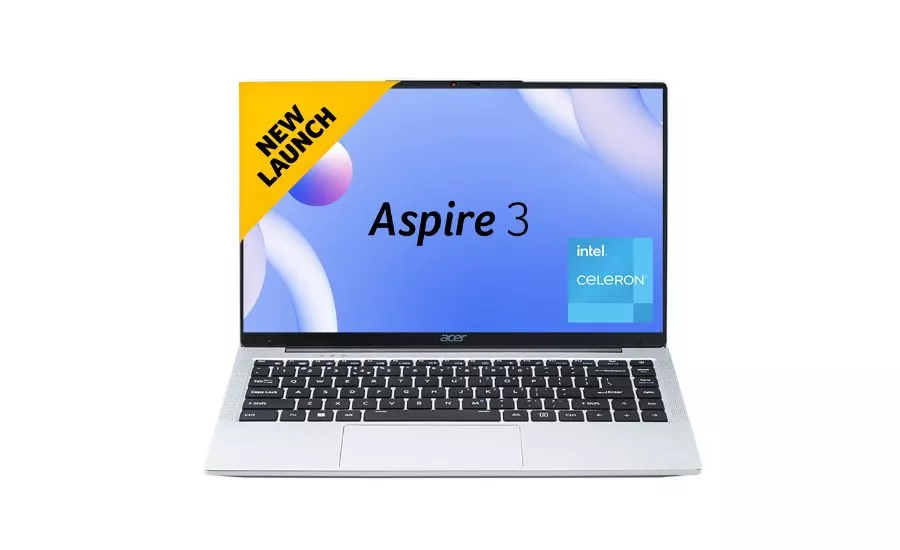
The Acer Aspire 3 is one of the most recommended budget laptops because it combines good performance, a clean design, and reliable battery life at an affordable price.
Key Specifications
- Processor: Intel Celeron N4500
- RAM: 8GB
- Storage: SSD
- Display: 15.6-inch HD
- Battery Life: Up to 7 Hours
Pros
- Lightweight
- Fast boot time
- Good keyboard
- Affordable
Cons
- HD display on some variants
- Limited graphics performance
Best For
- Students
- Web browsing
- YouTube streaming
- Office documents
Why Buy?
If your budget is tight and you mainly use Word, Excel, Chrome, Zoom, and YouTube, the Acer Aspire 3 provides a smooth everyday experience.
7. ASUS Chromebook CX14
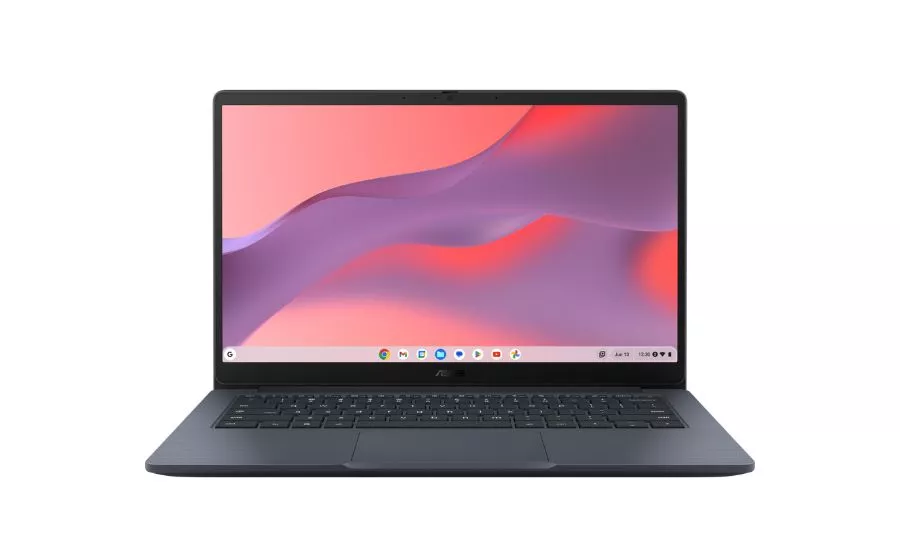
If you mainly work online using Google Docs, Gmail, Google Meet, and Chrome, the ASUS Chromebook CX14 is an excellent alternative to a Windows laptop. It boots within seconds, offers excellent battery life, and requires very little maintenance.
Key Specifications
- Processor: Intel N50
- RAM: 4GB/8GB
- Storage: 128GB eMMC
- Display: 14-inch HD
- ChromeOS
- Battery Life: Up to 11 Hours
Pros
- Excellent battery backup
- Very fast startup
- Lightweight
- Great security
- Automatic updates
Cons
- Cannot run all Windows software
- Limited offline applications
Best For
- School students
- College students
- Online learning
- Web-based work
- Travel
Why Buy?
If your work revolves around Chrome, Google Workspace, YouTube, and cloud storage, a Chromebook offers better speed and battery life than many Windows laptops in the same price range.
Expert Buying Tip
Don’t buy a laptop just because it has a large amount of storage. Prioritize these specifications:
- Minimum 8GB RAM
- SSD storage instead of HDD
- Full HD display whenever possible
- Windows 11 or ChromeOS
- At least a dual-core modern Intel or AMD processor
- Brand warranty and service support
A laptop with an SSD and 8GB RAM will feel much faster in everyday use than one with a larger HDD but slower hardware.
8. Primebook 2 Pro
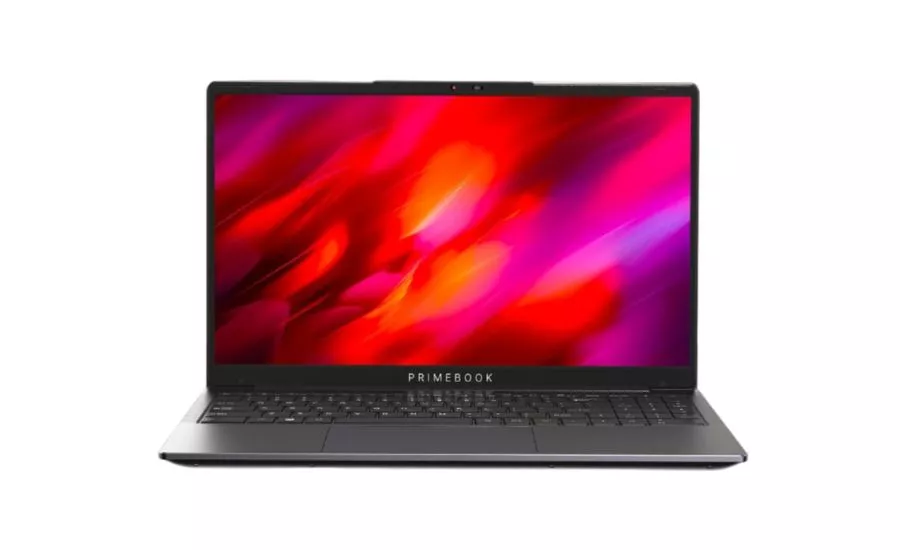
If your primary work revolves around web browsing, online learning, document editing, and streaming, the Primebook 2 Pro offers excellent value. It includes a Full HD display, long battery life, and a lightweight design, making it an attractive option for students.
Key Specifications
- Processor: MediaTek Helio G99
- RAM: 8GB LPDDR4X
- Storage: 128GB
- Display: 14-inch Full HD IPS
- Battery Life: Up to 14 Hours
Pros
- Excellent battery life
- Full HD IPS display
- Lightweight
- Good for online learning
Cons
- Limited Windows software compatibility
- Best suited for web-based tasks
Best For
- Students
- Online classes
- Content streaming
- Everyday browsing
How We Selected These Laptops
Our recommendations are based on extensive research, product specifications, customer reviews, and overall value for money. Every laptop on this list was evaluated using the following criteria:
- Overall performance
- Processor efficiency
- RAM and SSD configuration
- Display quality
- Battery backup
- Build quality
- Brand reputation
- Customer ratings
- Warranty and after-sales service
- Current market pricing
The goal was to recommend laptops that provide the best balance of performance, reliability, and affordability.
Things to Consider Before Buying a Laptop Under ₹30,000
1. Processor
The processor determines how fast your laptop performs daily tasks.
For this budget, look for:
- AMD Ryzen 3
- Intel Core i3 (during sales)
- Intel N-Series processors
Avoid buying laptops with outdated processors if better alternatives are available at a similar price.
2. RAM
Always choose at least 8GB RAM.
An 8GB RAM laptop handles:
- Chrome with multiple tabs
- Microsoft Office
- Zoom or Google Meet
- Online classes
- Basic multitasking
3. SSD Storage
Choose an SSD instead of an HDD.
Benefits of SSD storage:
- Faster boot time
- Quicker application loading
- Better overall responsiveness
- Improved durability
A 512GB SSD is ideal, while a 256GB SSD is sufficient for most users.
4. Display Quality
Whenever possible, choose a Full HD (1920 × 1080) display.
Advantages include:
- Sharper text
- Better video quality
- Improved viewing experience
- Reduced eye strain
If your budget is tight, an HD display is acceptable, but Full HD offers noticeably better clarity.
5. Battery Life
Look for laptops that provide at least 7–9 hours of real-world battery backup.
This is especially important for:
- College students
- Professionals
- Travelers
- Remote workers
6. Build Quality
A durable laptop lasts longer.
Consider:
- Strong hinges
- Comfortable keyboard
- Lightweight design
- Good cooling system
7. Upgrade Options
If possible, choose a laptop that allows future RAM or SSD upgrades. This extends the laptop’s usable life and improves long-term value.
8. Warranty & Service
Purchase from brands with reliable service centers and standard warranties. Brands such as HP, Lenovo, ASUS, Acer, and Dell generally offer good after-sales support across India.
Buying Tip: Prices for laptops under ₹30,000 change frequently during sales on Amazon and Flipkart. A model that usually costs ₹32,000–₹34,000 may temporarily fall below ₹30,000 during festive or bank-offer sales, making it a better value than entry-level alternatives.
SSD vs HDD: Which One Should You Buy?
When shopping for the best laptop under ₹30,000, you’ll often come across two types of storage: SSD (Solid State Drive) and HDD (Hard Disk Drive). While both are designed to store your files, they differ significantly in speed, reliability, and overall performance.
For most users in 2026, an SSD is the clear winner. Even if it offers less storage than an HDD, the performance benefits make it a much better choice for students, professionals, and everyday users.
What Is an SSD?
An SSD stores data on flash memory instead of moving mechanical parts. Because there are no spinning disks, SSDs are much faster, quieter, and more durable.
Advantages of an SSD
- Boots Windows in seconds
- Opens applications much faster
- Faster file transfers
- Silent operation
- Better shock resistance
- Lower power consumption
- Improved battery life
If you regularly use Google Chrome, Microsoft Office, Zoom, or Google Meet, an SSD provides a noticeably smoother experience.
What Is an HDD?
An HDD uses spinning magnetic disks to read and write data. Although HDDs usually offer more storage for the same price, they are slower and more prone to damage from drops or vibrations.
Advantages of an HDD
- Lower cost per GB
- Suitable for storing large files such as videos and photos
- Available in higher capacities
However, budget laptops with only an HDD often feel slow, especially during startup and multitasking.
SSD vs HDD Comparison
| Feature | SSD | HDD |
|---|---|---|
| Speed | ⭐⭐⭐⭐⭐ | ⭐⭐ |
| Boot Time | 10–20 Seconds | 1–2 Minutes |
| Application Loading | Very Fast | Slow |
| Noise | Silent | Audible Spinning Noise |
| Durability | Excellent | Moderate |
| Battery Efficiency | Better | Lower |
| Weight | Lightweight | Heavier |
| Best For | Everyday Use, Office Work, Students | Large File Storage |
Which Storage Option Is Better Under ₹30,000?
For a laptop in this price range, prioritize an SSD over a larger HDD. A 256GB SSD is sufficient for most users, while a 512GB SSD provides extra space for documents, media, and software.
Unless you specifically need large storage for offline media or backups, an SSD will deliver a much better day-to-day experience.
Expert Recommendation
When comparing two laptops at the same price:
- Choose 8GB RAM + 256GB SSD over 8GB RAM + 1TB HDD.
- If possible, opt for a 512GB SSD for additional storage without sacrificing speed.
A fast SSD can make even an entry-level laptop feel significantly more responsive than a higher-capacity HDD-based system.
Full HD vs HD Display: Which One Is Better?
The display is one of the most important features to consider when buying a laptop under ₹30,000. Whether you’re attending online classes, working on documents, watching movies, or browsing the web, a better display makes a noticeable difference.
What Is an HD Display?
An HD display typically has a resolution of 1366 × 768 pixels. It is commonly found in entry-level laptops because it helps keep costs low.
Pros of an HD Display
- More affordable
- Lower power consumption in some cases
- Suitable for basic tasks like browsing and document editing
Cons of an HD Display
- Lower image sharpness
- Less screen space for multitasking
- Text and images appear less detailed
What Is a Full HD Display?
A Full HD (FHD) display has a resolution of 1920 × 1080 pixels. It delivers sharper text, clearer images, and a more enjoyable viewing experience.
Pros of a Full HD Display
- Sharper image quality
- Better for watching videos
- Improved reading comfort
- More workspace for multitasking
- Better overall user experience
Cons of a Full HD Display
- Usually costs slightly more
- May consume a little more battery depending on brightness and panel type
HD vs Full HD Comparison
| Feature | HD Display | Full HD Display |
|---|---|---|
| Resolution | 1366 × 768 | 1920 × 1080 |
| Image Quality | Good | Excellent |
| Text Clarity | Average | Sharp |
| Video Experience | Good | Excellent |
| Productivity | Basic | Better for multitasking |
| Recommended | Entry-level users | Most buyers |
Our Recommendation
If your budget allows, choose a laptop with a Full HD display. The improved clarity and viewing experience make it a worthwhile upgrade for students, professionals, and everyday users.
Tips to Improve Laptop Battery Life
Even a laptop with a good battery can last longer with the right usage habits.
1. Reduce Screen Brightness
Keeping the brightness at around 50–70% can significantly extend battery life.
2. Enable Battery Saver Mode
Windows Battery Saver helps reduce background activity and improves battery backup.
3. Close Unused Applications
Too many apps running at once consume memory and power.
4. Disable Unnecessary Startup Programs
Limiting startup apps helps your laptop boot faster and reduces background power usage.
5. Keep Windows and Drivers Updated
Software updates often include performance and battery optimizations.
6. Use Wi-Fi and Bluetooth Only When Needed
Turning off unused wireless connections helps conserve power.
7. Avoid Overheating
Use your laptop on a hard, flat surface to maintain proper airflow and prevent excessive heat.
Frequently Asked Questions (FAQs)
Q1. Which Is The Best Laptop Under ₹30,000 In India?
The best choice depends on your needs, but laptops with 8GB RAM, SSD storage, and a Full HD display generally provide the best value in this price range.
Q2. Is 8GB Ram Enough?
Yes. For web browsing, Microsoft Office, online classes, streaming, and light multitasking, 8GB RAM is sufficient.
Q3. Should I Choose SSD Or HDD?
An SSD is recommended because it offers faster boot times, quicker application loading, and better overall performance.
Q4. Is A Full HD Display Worth It?
Yes. A Full HD display provides sharper text, clearer images, and a more comfortable viewing experience than an HD display.
Q5. Can I Upgrade RAM Later?
Some laptops allow RAM upgrades, while others have memory soldered to the motherboard. Always check the specifications before purchasing.
Q6. Which Processor Is Better Under ₹30,000?
Modern Intel N-series and AMD Ryzen 3 processors generally offer better everyday performance than older entry-level processors.
Q7. Can I Use A ₹30,000 Laptop For Coding?
Yes. Beginners can comfortably learn programming, run code editors, and work on small projects with an 8GB RAM laptop and SSD.
Q8. Are These Laptops Suitable For Gaming?
They can handle casual and lightweight games, but they are not designed for modern AAA gaming.
Final Verdict
Finding the best laptop under ₹30,000 is easier than ever, thanks to improvements in budget laptop performance. Look for a model that includes:
- 8GB RAM
- SSD storage (256GB or 512GB)
- Full HD display, if available
- Reliable Intel or AMD processor
- Good battery life
- Trusted after-sales service
Instead of choosing the laptop with the highest storage capacity, prioritize overall performance and reliability. A well-balanced laptop with an SSD, 8GB RAM, and a modern processor will deliver a smoother experience for studying, office work, online meetings, entertainment, and everyday productivity.
By comparing specifications carefully and taking advantage of seasonal sales, you can find a budget laptop that offers excellent value and meets your needs for years to come.